
Under Insights, you'll find overviews of your properties and your turnover. You choose a reference date or period, view the figures and export them to Excel.
In this article
Which overviews are there?
| Overview | What do you see? |
|---|---|
| Rent list | For each unit on a chosen reference date: the current tenant, the current price and the dates for renewal, termination and indexation. |
| Vacancy list | Only the units that are vacant on a chosen reference date. |
| Turnover per period | Deferred revenue: not what you invoiced in a month, but which turnover relates to that month. |
| Journal entries | The entries for your accounting. Read Journal entries. |
The rent list
Go to Insights > Rent list and choose the reference date. You then see the situation on that day.
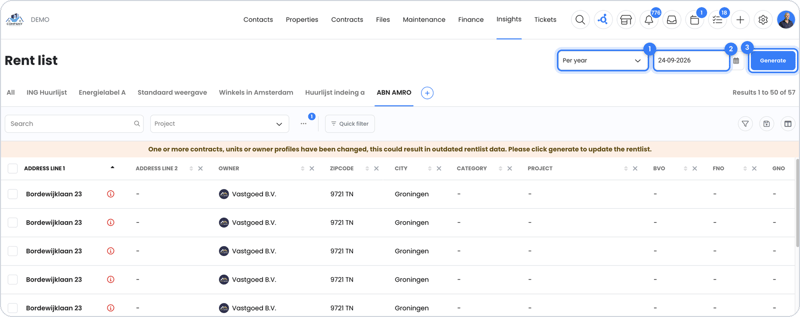
- Do you see a tenant who has left, or is a new one missing? Then check the reference date.
- For a rental contract with multiple units, each unit is on its own row. The rent amount and term are only shown for the main unit, so nothing is counted twice.
- If you've recorded energy labels with a start and end date, you'll see them in the rent list too (Energy labels).
Turnover per period
Turnover per period shows which turnover belongs to a period, regardless of when you invoiced it. For example, if you invoice January's rent in December, that turnover counts toward January, and therefore toward the new year.
You mainly use this overview for the service charge settlement.
Export
You export all overviews to Excel, just like any other list in OWNER. Read How do I export my rent list or another list?. You can only create a PDF of sales invoices, indexation letters, inspections and work orders.
Still need help?
Contact support:
- Chat: via the help center (chat button in the bottom right)
- Email: support@owner.app
- Call or WhatsApp: +31 591 799 602