
Working with more than one environment? You switch with one click at the top left of my.owner.app.
How to switch environments
- Click the name of the environment you're currently in at the top left.
- You'll see a list of all environments in your account. If you work as a property manager, your manager environment is at the top with the connected real estate environments below it.
- Click the environment you want to go to.
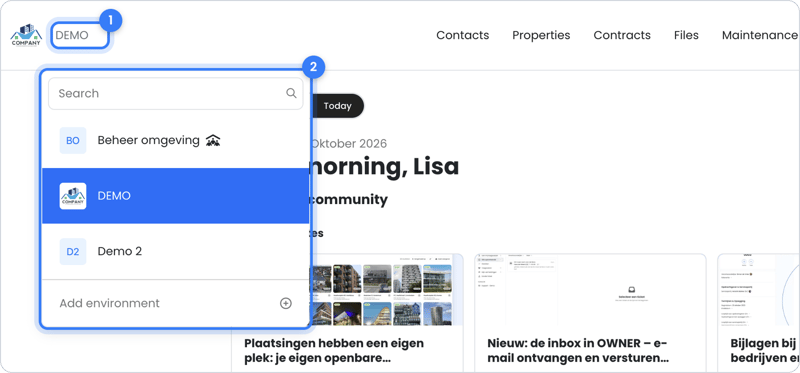
Tip: always check at the top left which environment you're in before you enter data.
Good to know
- A team member of a manager environment automatically has access to all connected real estate environments as well.
- From your account on owner.app (the front end), To manager mode takes you to my.owner.app.
- You can read more about the types of environments in What is the difference between a manager environment and a real estate environment?.
Still need help?
Contact support:
- Chat: through the help center (chat button at the bottom right)
- Email: support@owner.app
- Call or WhatsApp: +31 591 799 602